
.webp)

Introducing Email in SocialGlow: Reach Your Church Like Never Before
For a long time, churches have had to rely on multiple tools to stay connected with their people.
One platform for community…
Another for email…
Another for messaging…
It’s messy. It’s time-consuming. And things fall through the cracks.
But that changes today.
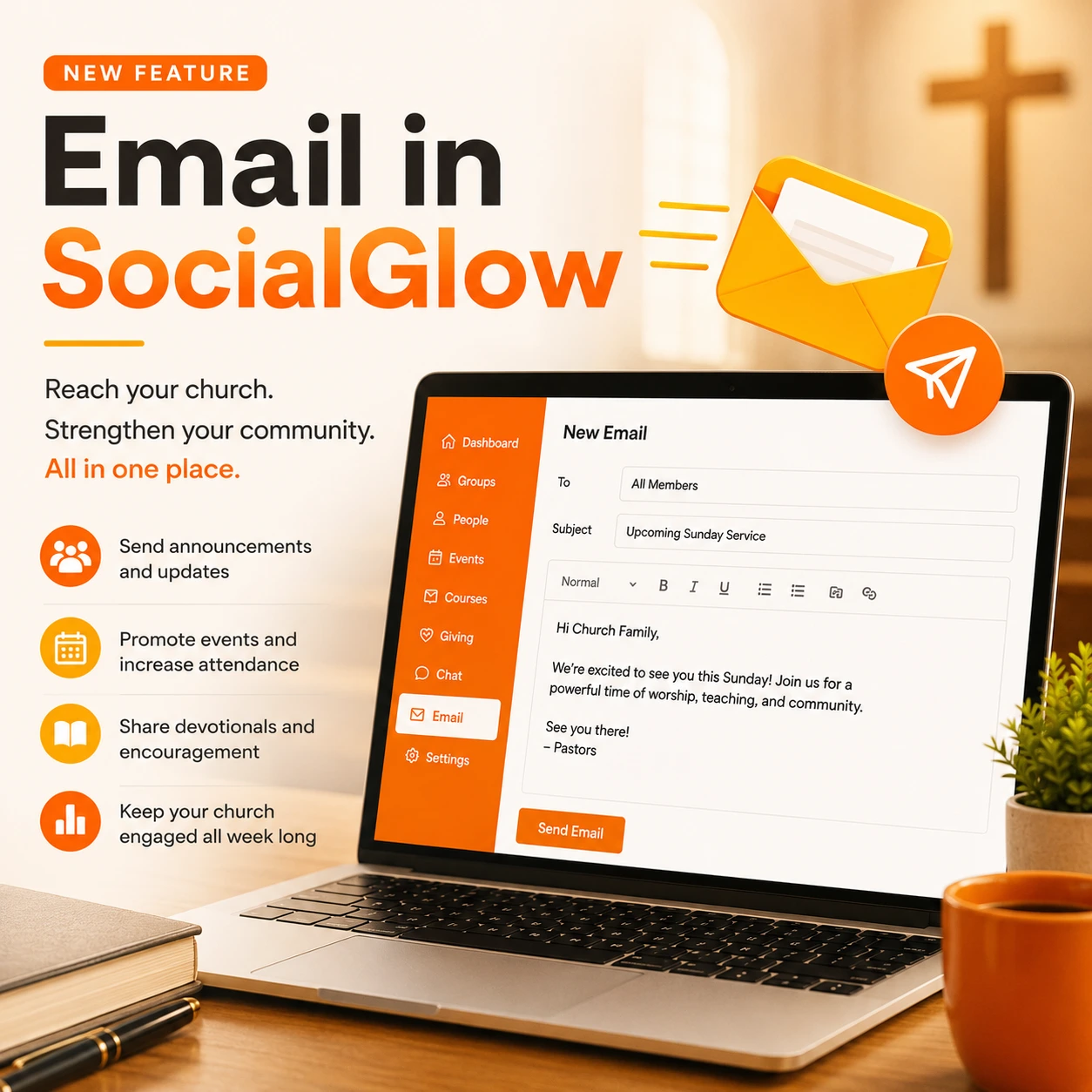
👉 Email is now built directly into SocialGlow.
This is a major upgrade, and it brings you one step closer to running your entire church communication from one place.
🚀 Why This Is a Big Deal
Until now, many churches had to connect tools like Mailchimp, ConvertKit, or other email platforms just to send updates.
Now?
You can email your church directly from the same place you manage your community, groups, and content.
That means:
✅ No more switching platforms
✅ No more syncing contact lists
✅ No more missed communication
Everything is now connected and centralized
✉️ What You Can Do With Email in SocialGlow
This isn’t just a basic feature, it’s designed to help you communicate clearly and consistently with your church.
Here’s what you can do:
📢 Send Announcements
Share important updates with your entire church instantly.
- Service time changes
- Event reminders
- Important ministry updates
📆 Reinforce Events & Engagement
Even though SocialGlow already sends notifications for events, email gives you another powerful touchpoint.
For example:
- Send reminders before events
- Follow up after services
- Encourage participation during the week
👉 SocialGlow already supports email-based notifications tied to events and group activity, helping members stay informed and connected
🙌 Support Spiritual Growth
Email is perfect for:
- Weekly devotionals
- Prayer prompts
- Scripture reflections
- Encouragement messages
These are the types of touchpoints that keep your church engaged between Sundays
🔁 Stay Consistent (Without Extra Work)
Consistency is one of the biggest challenges in ministry communication.
With email now inside SocialGlow, you can:
- Stay top of mind
- Reinforce your teaching
- Keep your community engaged all week
⚙️ How to Create and Send an Email (Step-by-Step)
Getting started is simple.
1. Go to Your Dashboard
Your dashboard is where you manage everything, contacts, groups, and now email.
SocialGlow is built around a central dashboard where all your tools live, making it easy to manage your entire church from one place
2. Create a New Email
Inside your dashboard:
- Click into the email section
- Start a new message
- Add your subject line and content
You can write emails just like you would anywhere else, simple and flexible.
3. Choose Who to Send It To
Because your contacts already live inside SocialGlow:
- You don’t need to import lists
- You don’t need to sync tools
Just select your audience and go.
4. Send Your Email
Once you’re ready:
👉 Hit send, and your message goes out to your church
That’s it.
🔥 The Real Power: Everything Working Together
This is where things get exciting.
Because email isn’t just a standalone feature, it’s part of a bigger system.
Inside SocialGlow, you now have:
- Community (groups & posts)
- Chat & messaging
- Courses & content
- Events & calendar
- Email (new)
- SMS (coming soon)
👉 This means you can now build a complete communication ecosystem for your church.
💡 Example: What This Looks Like in Real Life
Let’s say it’s Wednesday.
You could:
- Post a devotional inside your group
- Send an email reminding people to read it
- Start a discussion in chat
- Track engagement inside the platform
Everything connected. Everything in one place.
🙏 Why This Matters for Churches
Most churches don’t struggle with content…
They struggle with consistency and communication.
People don’t disengage because they don’t care.
They disengage because:
- They forget
- They get distracted
- They don’t see the content
Email helps solve that.
It gives you a direct line to your members, outside of algorithms and distractions.
🎯 Ready to Start Using Email in SocialGlow?
If you're already using SocialGlow:
👉 Go into your dashboard and send your first email today.
If you’re not using SocialGlow yet:
👉 Start your 14-day free trial and experience it for yourself.
Or:
👉 Book a quick demo and we’ll walk you through exactly how to use it in your church.


